
How to Write an Integration Requirements Document (With a Ready-to-Use Outline)
Key takeaways
- An IRD turns “connect the systems” into clear, testable requirements.
- Cover scope, data flows, field mappings, triggers, errors and security.
- Name the system of record for every field.
- Get business and technical sign-off before build starts.
“Can we just sync the two systems?” is how many integration projects start. It sounds simple. Then the questions arrive: Which records? In which direction? How often? What happens when it fails? Who owns the data?
An Integration Requirements Document (IRD) answers those questions before anyone writes a line of code or builds a workflow. It is the single most effective way to avoid rework, scope creep and finger-pointing.
The outline
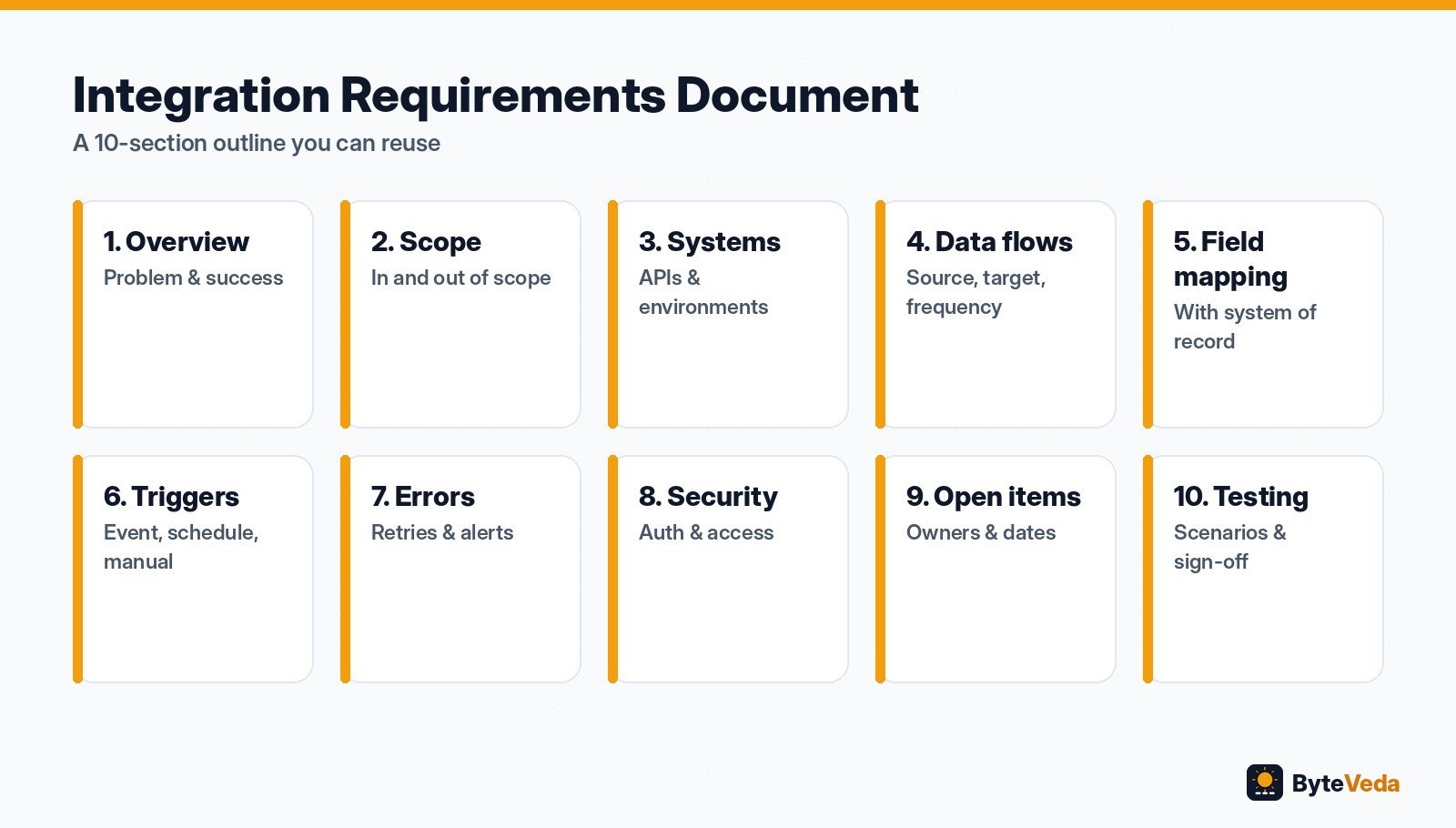
1. Overview and objectives
Describe the business problem in two or three sentences, and what success looks like. Example: “Sales reps can request contracts from the CRM opportunity, and signed contract details are visible in the CRM within five minutes.”
2. Scope
List what is in scope and — just as important — what is out of scope. Out-of-scope items prevent arguments later.
3. Systems and environments
Name each system, its role, the API or connector used, and the environments (sandbox, test, production).
4. Data flows
For each flow, describe the source, the target, the trigger and the frequency. A simple diagram helps every stakeholder understand it quickly.
5. Field mapping
The heart of the document.
| Source field | Target field | Direction | System of record | Transformation |
|---|---|---|---|---|
| Account Name | Counterparty Name | CRM → CLM | CRM | None |
| Opportunity Amount | Contract Value | CRM → CLM | CRM | Currency code appended |
| Signed Date | Contract Signed Date | CLM → CRM | CLM | Convert to date only |
6. Triggers and timing
Event-based (webhook, record change), scheduled (every 15 minutes, nightly), or manual (button click)?
7. Error handling
What happens when a record fails? Who is notified? Are there automatic retries? How are failed records reprocessed?
8. Security and access
Authentication method, service accounts, permissions, and how sensitive data is protected.
9. Assumptions, dependencies and open items
Anything you are assuming, anything waiting on someone else, and decisions still to be made — each with an owner and a date.
10. Testing approach and sign-off
Key scenarios, including edge cases, and who approves the document.
Pro tip
Write the “out of scope” section with the business stakeholders in the room. It is the section most likely to save your timeline later.
Common mistakes
- Mapping only the happy path. Include null values, long text, special characters and deleted records.
- No system of record. Two-way sync without a clear owner causes data drift.
- Skipping volumes. Ten records a day and ten thousand a day need different designs.
- Leaving error handling to “later”. Later rarely comes before go-live.
A good IRD is short enough that people read it and precise enough that a developer can build from it.
Treat the IRD as a living document: version it, update it when requirements change, and use it as the basis for testing and support handover.