What Is CLM? A Plain-English Guide to Contract Lifecycle Management
Key takeaways
- CLM manages a contract from request to renewal in one system.
- The value comes from speed, visibility and fewer missed obligations — not just storage.
- Core features: templates, workflows, e-signature, a searchable repository and reporting.
- Integrations with CRM, ERP and procurement decide whether CLM really sticks.
Every business runs on contracts — sales agreements, NDAs, vendor contracts, leases, employment terms. Yet in many organisations, contracts still live in email threads, shared drives and someone’s memory.
Contract Lifecycle Management (CLM) is the discipline — and the software — for managing a contract through every stage of its life in one place.
The contract lifecycle, stage by stage
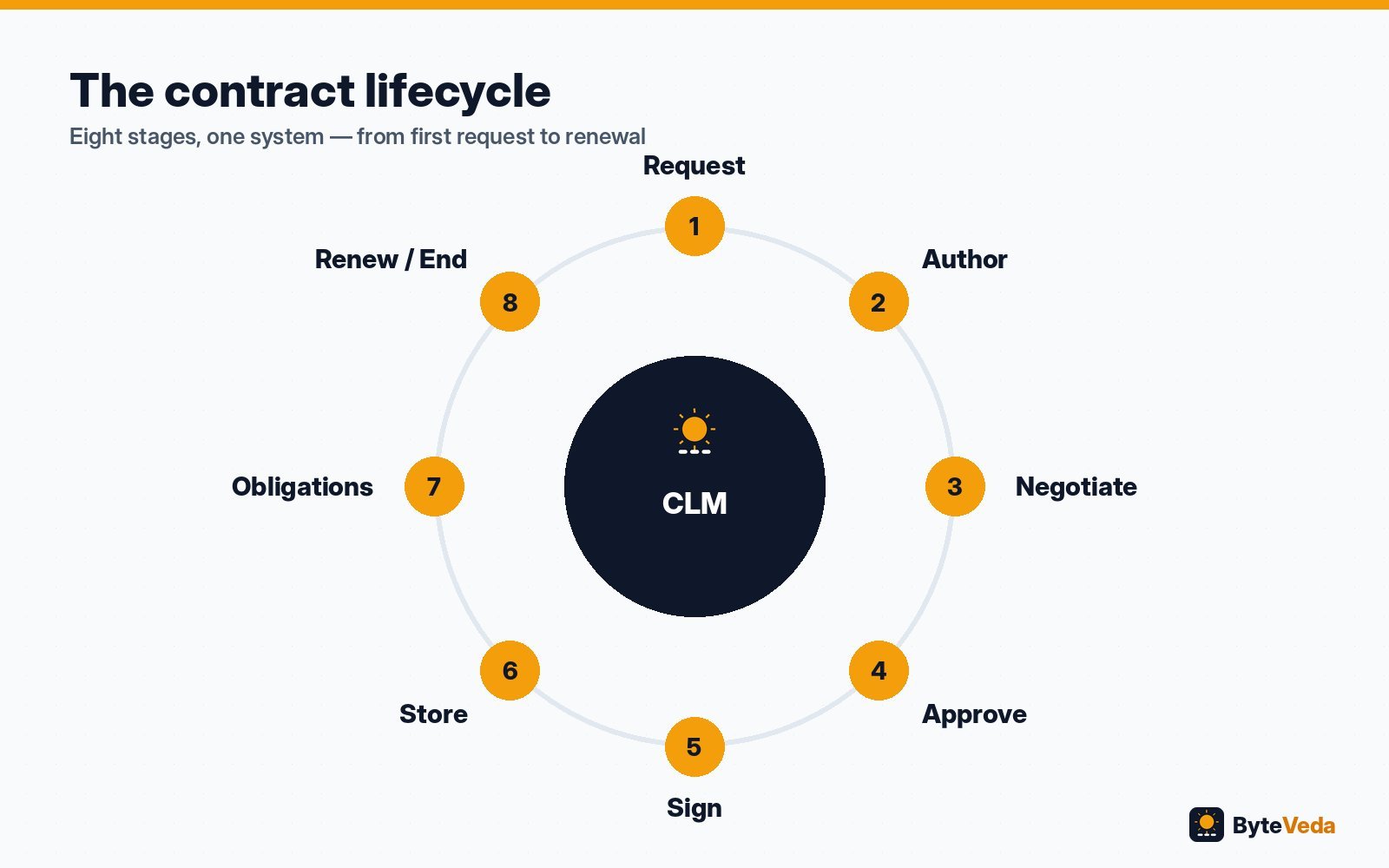
- Request. Someone in sales, procurement or HR needs a contract. In a CLM system they fill in a short intake form instead of emailing legal.
- Author. The contract is generated from an approved template, with key details filled in automatically.
- Negotiate. Redlines are exchanged with the counterparty, with versions tracked in one place.
- Approve. Internal approvals route automatically based on rules — for example, finance approves anything above a value threshold.
- Sign. E-signature is sent directly from the system.
- Store. The executed contract lands in a searchable repository with its key data extracted.
- Manage obligations. Deliverables, payment terms and service levels are tracked.
- Renew or end. Alerts fire well before renewal or expiry dates so nothing auto-renews by accident.
Why organisations invest in CLM
| Without CLM | With CLM |
|---|---|
| Contracts scattered across email and drives | One searchable repository |
| Legal re-drafts the same NDA every week | Business users self-serve from templates |
| Approvals chased manually | Automatic, rule-based routing |
| Renewals discovered after they happen | Alerts weeks in advance |
| “How many contracts do we have with this vendor?” takes days | Answered in seconds |
The real return usually comes from three places: faster deal cycles, fewer missed renewals and obligations, and less legal time spent on low-value work.
Core features to look for
- Template and clause library with approved fallback language.
- Configurable workflows for intake, review and approval.
- Collaboration and redlining, ideally inside Microsoft Word where lawyers already work.
- Native or integrated e-signature.
- Repository with metadata and AI-assisted data extraction.
- Reporting and dashboards on cycle time, volumes and bottlenecks.
- Integrations with CRM, ERP, procurement, HR and identity systems.
Pro tip
In every CLM evaluation, ask vendors to demo your three most common contract types, end to end, using your own templates. Generic demos hide the hard parts.
Integrations: where CLM succeeds or stalls
A CLM platform that sits alone becomes one more place to update. The organisations that get the most value connect it to the systems where work starts and ends:
- CRM (such as Salesforce or HubSpot): sales reps launch contracts from the opportunity, and contract status flows back.
- ERP and procurement: supplier data comes in; executed contract values and dates go out to finance.
- Identity (SSO and user provisioning): users are created and removed automatically.
- Document storage: executed copies sync to the company’s document management system.
A CLM platform is only as good as the data flowing into it and out of it.
Is your organisation ready?
You are probably ready for CLM if:
- Legal spends significant time on routine, repeatable contracts.
- Nobody can quickly answer “what are we committed to, with whom, until when?”
- Renewals or price increases have been missed.
- Sales complains that contracts slow deals down.
Start with one or two high-volume contract types, prove the value, and expand from there. A phased rollout almost always beats a big-bang launch.